> ## Documentation Index
> Fetch the complete documentation index at: https://docs.percify.io/llms.txt
> Use this file to discover all available pages before exploring further.
# Plan a week of on-brand posts
> Percify plans a week or a month of posts from your Brand DNA, each with a date, platform, format, hook and call to action. Planning uses no credits.
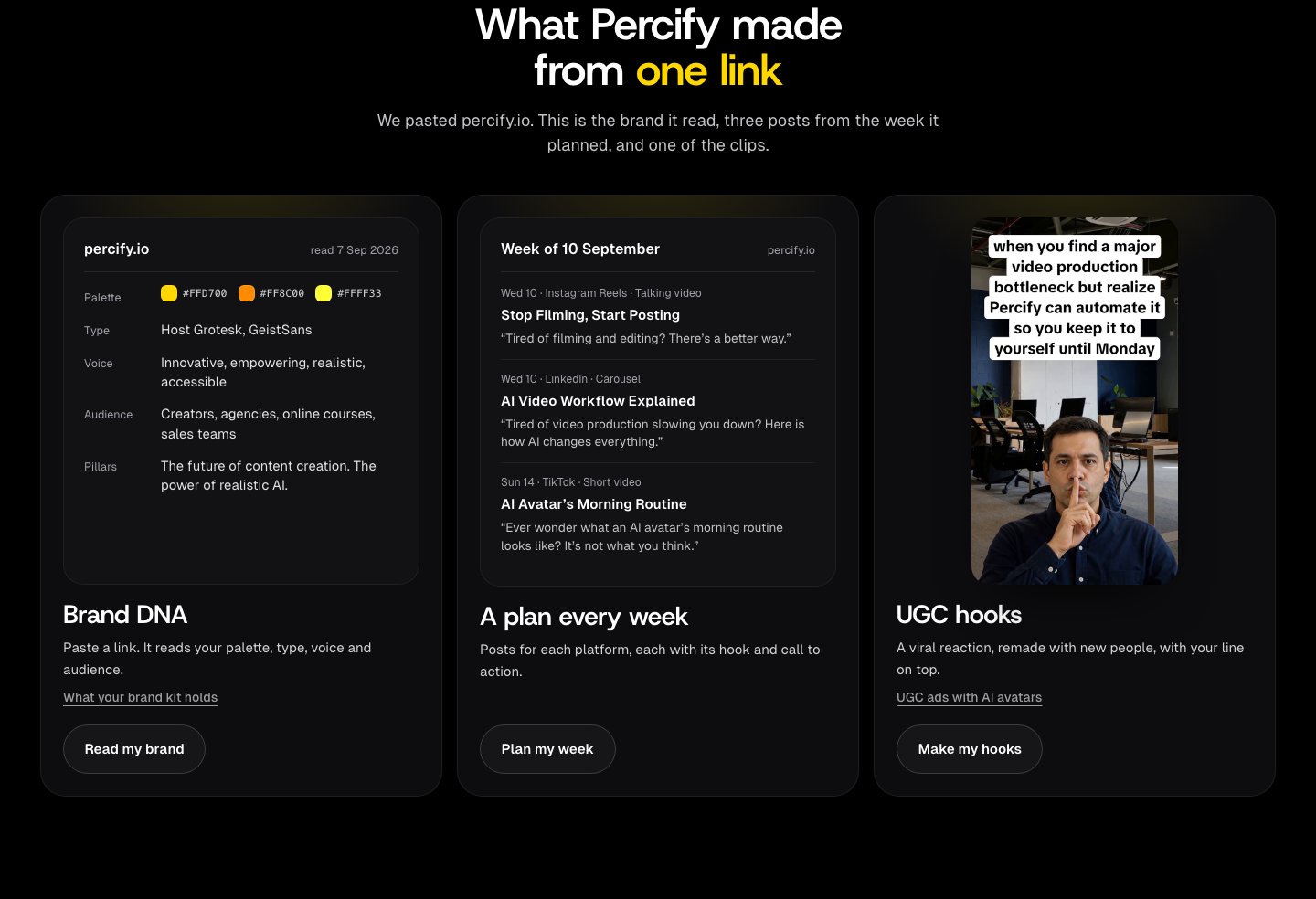
A Percify campaign turns your Brand DNA into a dated plan of posts. Choose one week, three days or 30 days, and each planned piece gets a date, a platform, a format, a hook in your brand's voice, an outline, a call to action and a line on why it is in the plan. Building the plan uses no credits; you spend credits only on the pieces you choose to make.
 ## What you need
* A brand with a finished Brand DNA. If you have not read your brand yet, start with [Brand DNA](/brand-os/brand-dna).
## Build a campaign
Open the brand at [app.percify.io/home/brands](https://app.percify.io/home/brands). On the **Overview** tab, the **First campaign** row has a **Create** button. You can also go to the **Settings** tab and press **View campaigns**.
On the campaigns list, press **New campaign** (or **Create the first one** if the brand has none).
Every field is optional:
* **Campaign name**
* **Platforms**: TikTok, Instagram, YouTube, LinkedIn, X, Facebook. None selected means the strategist decides.
* **Formats**: Talking avatar, Short video, Image, Carousel, Story. None selected means all.
* **How long**: **Blitz** (3 days), **Sprint** (1 week) or **Month** (30 days).
* **How much content**: **Light** (about 5 a week), **Balanced** (about 9 a week) or **Aggressive** (about 13 a week).
* **Total pieces**: set an exact number instead.
* **Cadence**, **Key message** and **Focus**.
If you have run a market scan for this brand, briefs **Drafted from your market evidence** appear above the form. Click one to fill the form.
Percify opens the campaign and builds its calendar of pieces.
For a one-week plan, choose **Sprint**. A Sprint on **Balanced** plans about 9 pieces.
## What is in each planned post?
| Field | What it holds |
| ------------------- | -------------------------------------------------------------------------------------- |
| Date | A day inside the campaign window, which starts tomorrow |
| Platform and format | For example Instagram Reels talking video, LinkedIn carousel, TikTok short video |
| Title and hook | A short label and the opening line, written in your brand's voice |
| Outline | The beats of the piece; for a carousel, one point per slide |
| CTA | The closing call to action |
| Why this | One sentence on why the piece is worth making, citing a market angle when there is one |
Use the week and format menus (**All weeks**, **All formats**, Video, Image, Text) to narrow the calendar. Open a card to see the details and edit its copy.
## How much does a plan cost?
| Action | Cost |
| --------------------------------- | ------------------------------------------------------- |
| Building a campaign plan | No credits |
| Making an image or video piece | The credit cost shown on the card's **Generate** button |
| Writing out a text post or thread | No credits |
| A piece that fails to generate | Credits refunded |
You can build up to 10 campaign plans a day. Past that you see "Daily strategy limit reached. Try again tomorrow."
* **Generate** on a card makes that one piece. **Generate N** in the toolbar makes every unmade piece in the current view and shows the total cost.
* **Generate content** opens **Unlock the month**. Unlocking checks that your balance covers the whole plan and charges nothing; credits are taken as each piece is made. Credits come from a plan or a credit pack: see [how credits work](/percify/credits) and [payments](/percify/payments).
If this brand already has a campaign that was built or changed in the last 7 days, **Build the campaign** opens that campaign instead of planning a new one.
## How do I export the plan?
Press **Export** in the campaign toolbar:
* **Copy all captions**: every piece's caption, in date order, with the day, platform and format above each one.
* **Download all assets**: a `.zip` of every image and video you have made in the campaign.
* **Export calendar (.ics)**: one 30 minute calendar event per piece at a suggested posting time for its platform, with the format and caption in the event description. Import it into Google Calendar, Apple Calendar or Outlook.
Each finished piece also has its own **Download** button, and **Mark as posted** records that you published it.
## FAQ
No. A campaign is a plan and the pieces you make from it. To post automatically, connect your accounts and schedule from Composer: see [scheduling](/brand-os/scheduling).
The brief lets you pick TikTok, Instagram, YouTube, LinkedIn, X and Facebook. With no platform picked, the strategist can also plan for Instagram Stories, YouTube long form, Threads, Pinterest, Snapchat, Reddit and Bluesky.
The languages set on the brand's **Settings** tab. Its note reads "Campaigns are written in these."
## Related
The Brand DNA every plan is written from.
Posts built on formats that work now, at no credit cost.
Connect accounts and publish.
What making a piece costs.
## What you need
* A brand with a finished Brand DNA. If you have not read your brand yet, start with [Brand DNA](/brand-os/brand-dna).
## Build a campaign
Open the brand at [app.percify.io/home/brands](https://app.percify.io/home/brands). On the **Overview** tab, the **First campaign** row has a **Create** button. You can also go to the **Settings** tab and press **View campaigns**.
On the campaigns list, press **New campaign** (or **Create the first one** if the brand has none).
Every field is optional:
* **Campaign name**
* **Platforms**: TikTok, Instagram, YouTube, LinkedIn, X, Facebook. None selected means the strategist decides.
* **Formats**: Talking avatar, Short video, Image, Carousel, Story. None selected means all.
* **How long**: **Blitz** (3 days), **Sprint** (1 week) or **Month** (30 days).
* **How much content**: **Light** (about 5 a week), **Balanced** (about 9 a week) or **Aggressive** (about 13 a week).
* **Total pieces**: set an exact number instead.
* **Cadence**, **Key message** and **Focus**.
If you have run a market scan for this brand, briefs **Drafted from your market evidence** appear above the form. Click one to fill the form.
Percify opens the campaign and builds its calendar of pieces.
For a one-week plan, choose **Sprint**. A Sprint on **Balanced** plans about 9 pieces.
## What is in each planned post?
| Field | What it holds |
| ------------------- | -------------------------------------------------------------------------------------- |
| Date | A day inside the campaign window, which starts tomorrow |
| Platform and format | For example Instagram Reels talking video, LinkedIn carousel, TikTok short video |
| Title and hook | A short label and the opening line, written in your brand's voice |
| Outline | The beats of the piece; for a carousel, one point per slide |
| CTA | The closing call to action |
| Why this | One sentence on why the piece is worth making, citing a market angle when there is one |
Use the week and format menus (**All weeks**, **All formats**, Video, Image, Text) to narrow the calendar. Open a card to see the details and edit its copy.
## How much does a plan cost?
| Action | Cost |
| --------------------------------- | ------------------------------------------------------- |
| Building a campaign plan | No credits |
| Making an image or video piece | The credit cost shown on the card's **Generate** button |
| Writing out a text post or thread | No credits |
| A piece that fails to generate | Credits refunded |
You can build up to 10 campaign plans a day. Past that you see "Daily strategy limit reached. Try again tomorrow."
* **Generate** on a card makes that one piece. **Generate N** in the toolbar makes every unmade piece in the current view and shows the total cost.
* **Generate content** opens **Unlock the month**. Unlocking checks that your balance covers the whole plan and charges nothing; credits are taken as each piece is made. Credits come from a plan or a credit pack: see [how credits work](/percify/credits) and [payments](/percify/payments).
If this brand already has a campaign that was built or changed in the last 7 days, **Build the campaign** opens that campaign instead of planning a new one.
## How do I export the plan?
Press **Export** in the campaign toolbar:
* **Copy all captions**: every piece's caption, in date order, with the day, platform and format above each one.
* **Download all assets**: a `.zip` of every image and video you have made in the campaign.
* **Export calendar (.ics)**: one 30 minute calendar event per piece at a suggested posting time for its platform, with the format and caption in the event description. Import it into Google Calendar, Apple Calendar or Outlook.
Each finished piece also has its own **Download** button, and **Mark as posted** records that you published it.
## FAQ
No. A campaign is a plan and the pieces you make from it. To post automatically, connect your accounts and schedule from Composer: see [scheduling](/brand-os/scheduling).
The brief lets you pick TikTok, Instagram, YouTube, LinkedIn, X and Facebook. With no platform picked, the strategist can also plan for Instagram Stories, YouTube long form, Threads, Pinterest, Snapchat, Reddit and Bluesky.
The languages set on the brand's **Settings** tab. Its note reads "Campaigns are written in these."
## Related
The Brand DNA every plan is written from.
Posts built on formats that work now, at no credit cost.
Connect accounts and publish.
What making a piece costs.