

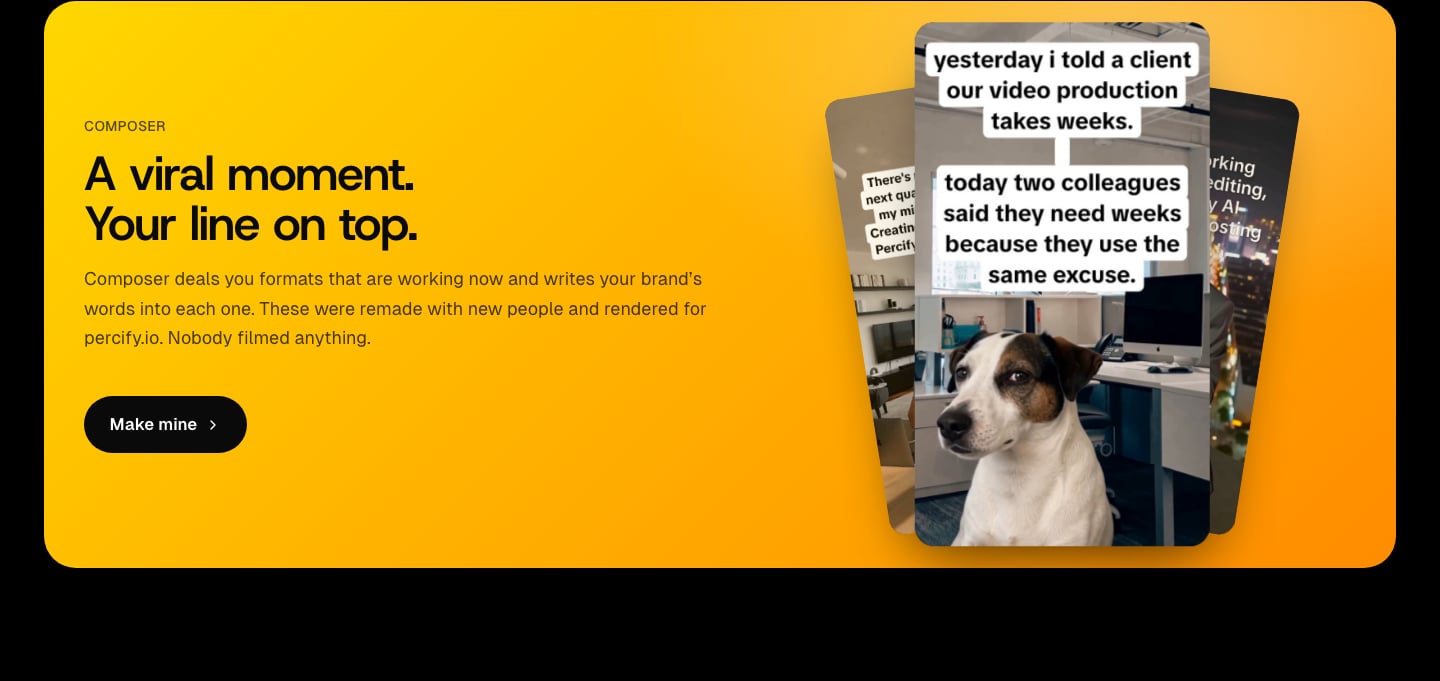
UGC hooks Composer rendered for percify.io
What you need
- A brand with a Brand DNA. See Extract your brand from a website.
- To post plays to your accounts, a posting account: Creator includes 1, Scale 3 and Ultra 10, or add an extra account on any plan. See scheduling. Downloading needs neither.
Make a play for your brand
1
Open Composer
Pick your brand in the sidebar and open Composer (it sits under Overview and Competitors). Composer opens on the Plays tab.
2
Turn over a round
A round arrives face down, with what it is asking for written on it before anything is revealed. Press to reveal, and the three cards turn over one after another.
3
Approve, shuffle or pass
Approve traces a green line round a card and locks it. Shuffle rerolls only the cards still open, so approving is never undone by a press meant for the others. Passing on a card votes it down, and that kind comes round less often for this brand.
4
Open a play to edit it
Click a card. On the Yours tab you see The angle the words were written from and what appears On screen. Pick another angle under Write it from (Market, Pillars, Value, Edge or Your own), or go back to one of your Earlier takes. The Style tab sets the type, size and spacing, and colour. The Original tab shows the post the play came from.
5
Download or schedule
Press Download on the Yours tab to render an MP4 with the original sound. Three approved cards make a round, and the gold button schedules the set. Any single approved card can be scheduled on its own, so you do not have to fill the round. Approved plays also go to the brand’s Library shelf, where you can come back to them.
Which kinds of play are there?
Turn kinds on or off in Settings under Formats (Captions, Post cards, Green screen, Scene edits, UGC hooks). Split screens are grouped with Scene edits.
How much does Composer cost?
When a limit is reached you see “Daily limit reached. Try again tomorrow.” When the day’s rounds are used up Composer says so, and offers See plans where a higher plan deals more.
What your plan allows
Composer is capped per account rather than charged in credits. These are the limits as of 2026-10-04:
A rewrite is one new take on a play’s words. A render is one MP4. A round is three cards dealt together. Reaching a cap shows “Daily limit reached. Try again tomorrow.”
Settings that shape what is dealt
Open the Settings tab in Composer:- Brand mentions: how often the words name your brand: Never, Now and then (about one play in four), Often (about half) or Every play.
- Brand safety: Strict (only plays any brand could post), Balanced (adds slapstick, pranks and light innuendo) or Bold (adds film violence, crime jokes and edgy moments).
- Autoposting: which platforms the plays are for, 1 a day, 2 a day or 3 a day, Every day or Weekdays, and the posting hour. Posts start the next day, three hours apart. With Autoposting on, approving a round offers to schedule it, and you confirm once.
- Autopilot: posts at those times by itself and chooses plays by what performs. See scheduling.
- Post card account: the name, handle, picture and check mark shown on post card plays.
Tips
- Your presses steer the deal: kinds you approve come round more often, and plays you pass on come round less for this brand.
- Once your posted plays have views, the deal and the words lean toward the kinds and angles that earned them. See post performance.
- Run a market scan on the brand’s Competitors page to add Market angles to write from. See competitor intelligence.
Related
Schedule posts to Instagram, TikTok and YouTube
Connect accounts and post your plays.
Track views on scheduled posts
See which plays and angles get views.
Extract your brand from a website
The voice and angles the words come from.
Plan a week of on-brand posts
Talking videos, carousels and images on a dated plan.