

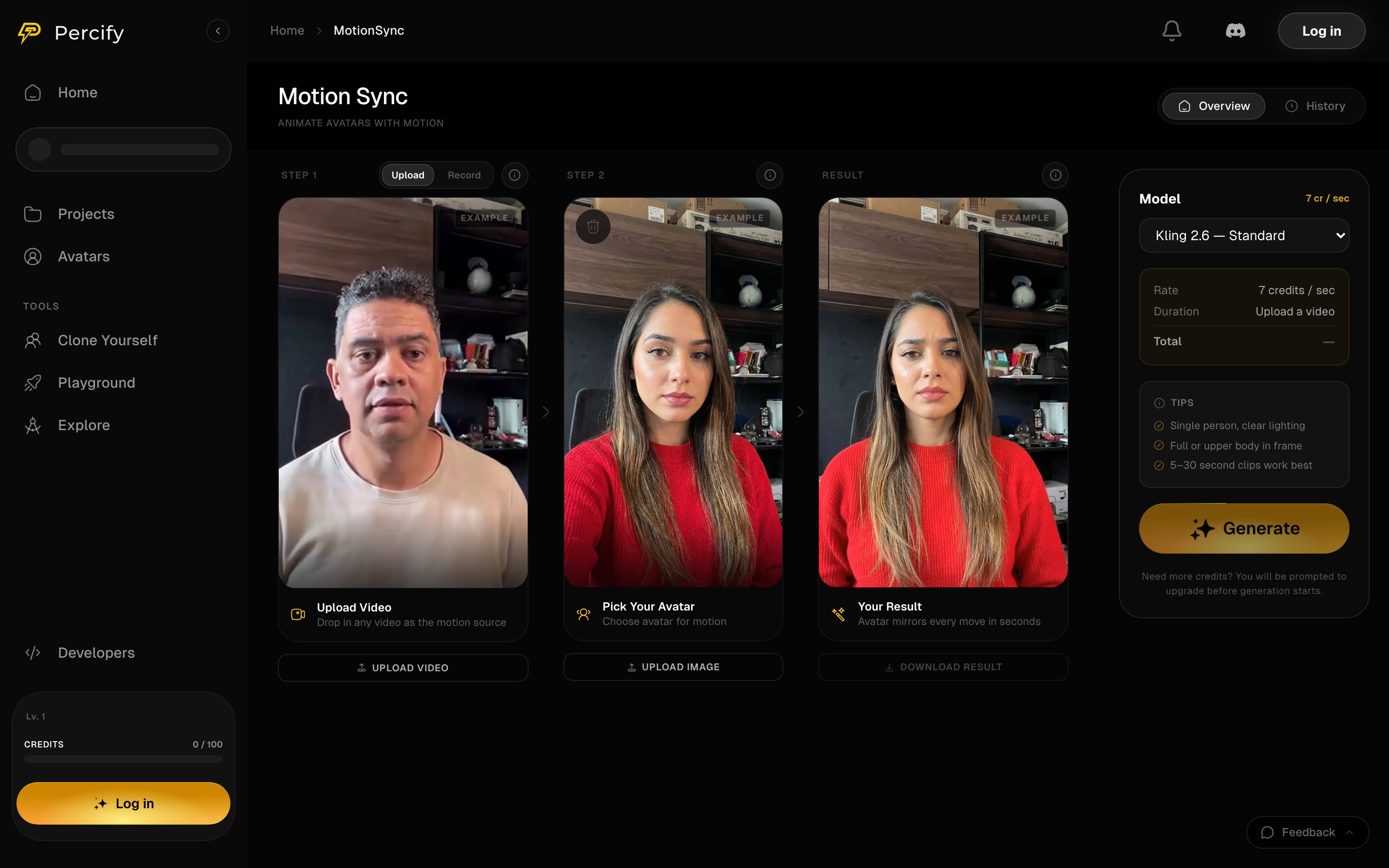
Three steps left to right: the motion source, the avatar, and the result. The panel prices the run per second before you generate.
How to run one
- Step 1 Upload a video as the motion source, or press Record to capture one.
- Step 2 Upload the avatar image that should perform the motion.
- Pick the model. Kling 2.6 Standard runs at 7 credits per second.
- Press Generate. The panel shows Rate, Duration and Total, so the price is settled before the run starts.
What works best
The tips on the page are worth following:- One person, clearly lit.
- Full body or upper body in frame.
- 5 to 30 second clips work best.
FAQ
How is it priced?
How is it priced?
Per second of the source video. Kling 2.6 Standard is 7 credits a second, so a 10 second clip is 70 credits. The Total line shows the figure before you generate.
How long should the video be?
How long should the video be?
5 to 30 seconds. Shorter clips cost less and hold together better.
Can I record instead of uploading?
Can I record instead of uploading?
Yes. Step 1 has a Record tab beside Upload.
How is this different from lip-sync?
How is this different from lip-sync?
Lip-sync animates a face to match audio. Motion Sync copies body movement from a video. See Lip-sync a photo to any audio.
Related
Lip-sync a photo to audio
Animate a face to speech instead of to movement.
Remake a viral short
Rebuild a whole video shot by shot with your own cast.
Every model and its price
Clip lengths and credit prices, grouped by what they make.
What each action costs
Credit prices across the app.