

Percify Clone Yourself: your digital twin, then make it talk.
What you need
- A computer. Clone Yourself runs in the desktop web app at app.percify.io/home/cloneYourself, under Clone Yourself in the sidebar.
- A clear, front-facing photo of yourself in good light (JPG, PNG or WEBP), or a webcam.
- Your voice: a recording made on the spot (5 to 60 seconds), an uploaded audio file under 10 MB, or a clip saved in My Voices.
- Credits for the length of the audio (see below).
How to create your AI twin
1
Add your photo
Open Clone Yourself. In the Upload Photo panel (Step 1), click Upload Image, or click Use Camera to take one. With the camera, choose the frame (1:1, 9:16 or 16:9) before you capture. Check the preview, then click Continue, or Retake to try again.
2
Add your voice
On Create Talking Avatar, open Record and tap to record yourself, or click Upload Audio. To use a script you did not record, first generate it in your cloned voice, then pick that clip under My Voices.
3
Choose mode and quality
Pick Fast (quicker, cheaper, 480p) or High (sharper, slower). High also offers 720p under Quality.
4
Generate and download
Check Estimated cost, click Generate video, and Download the result when it is ready. You can leave the page while it renders. Your videos are listed on the History tab of Clone Yourself.
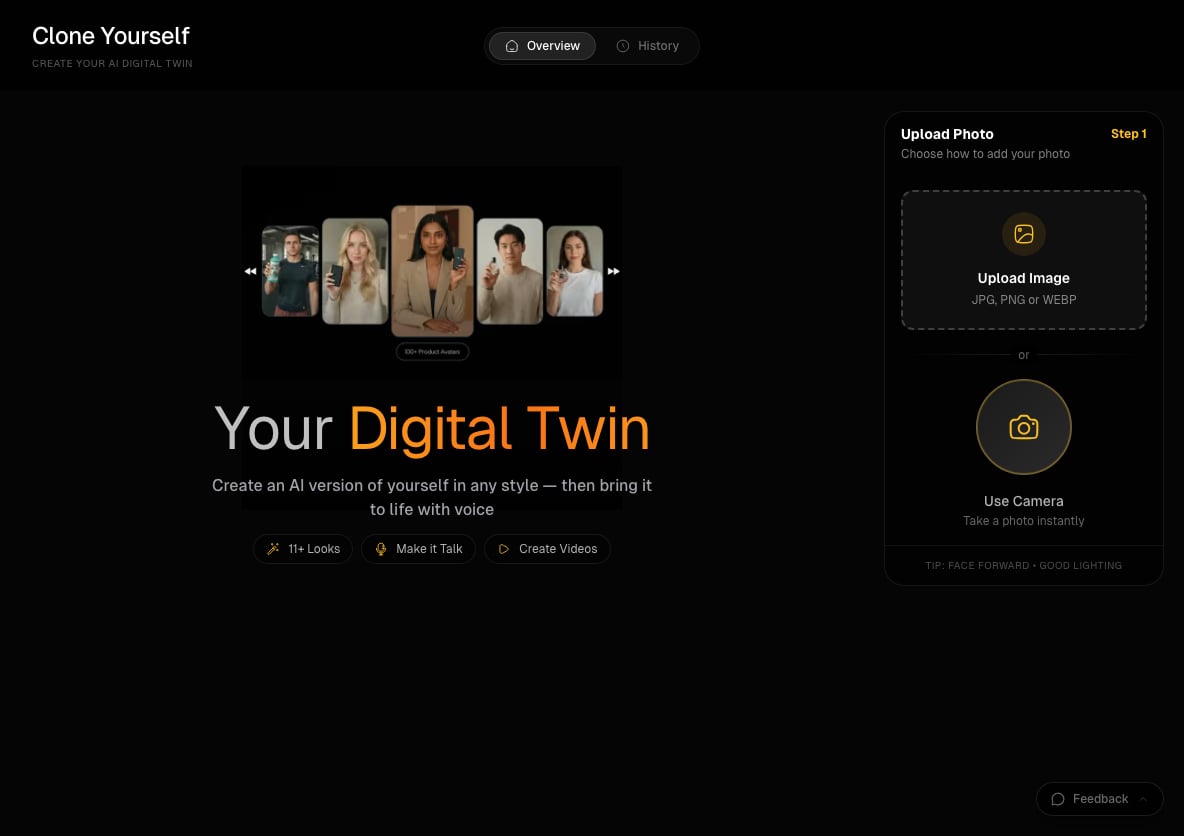
The Clone Yourself start screen: upload a photo or use the camera.
How much does it cost?
You pay per second of audio, measured on the server and rounded up to a whole second.
Generating speech in your cloned voice in Voice Studio is a separate charge of 5 credits per clip. See how credits work, and refunds if a video fails.
Limits
Tips
- Face the camera straight on, with even light and nothing covering your mouth.
- Keep the first take short. A 10 second clip on Fast costs 20 credits and shows you how the photo animates.
- If the button says Reading audio…, the audio length is still loading. Wait a moment.
- Silent recordings are refused before any charge. If that happens, check the browser’s microphone permission and input device.
Does Clone Yourself clone my voice too?
Does Clone Yourself clone my voice too?
It lip-syncs your face to the audio you give it. If you record yourself, the video uses that recording. To make your twin say text you type, create the speech in Voice Studio first and select it under My Voices.
Can I use a photo of someone else?
Can I use a photo of someone else?
Use photos you have the right to use. The same generator also works with the ready-made faces in the avatar library.
Related
Clone your voice
Generate speech in your voice from a short sample.
Make a talking avatar from a photo
Start from a library avatar instead of your own photo.
Lip-sync any audio
Audio options, modes and pricing in detail.
Upload failed
Fixes for photos and audio that will not upload.