

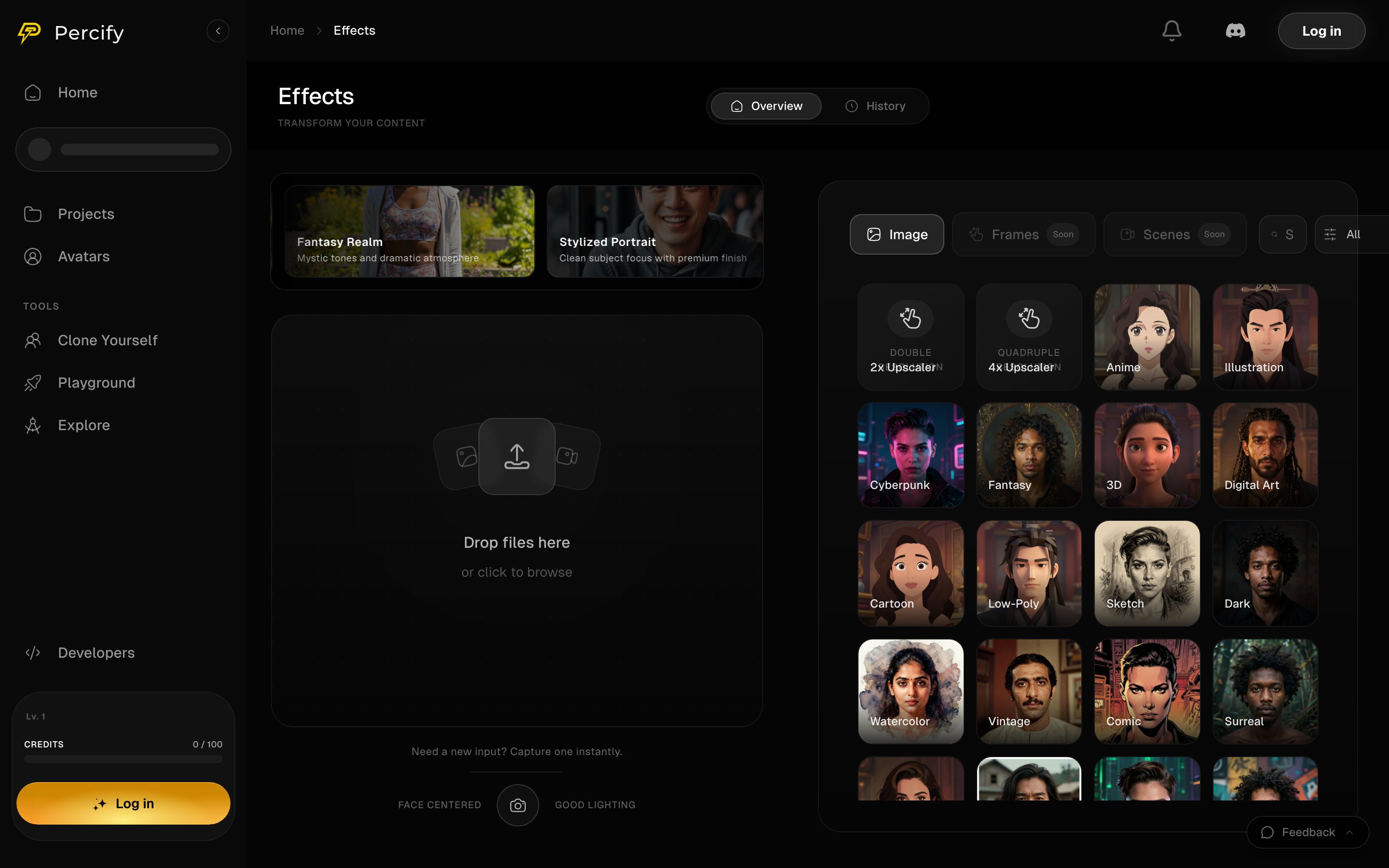
Drop a file on the left, then pick a style or an upscaler from the grid on the right.
What you can apply
The grid also carries featured looks at the top, such as Fantasy Realm and Stylized Portrait, which are presets rather than separate tools.
How to apply one
- Drop a file on the upload area, or click to browse. There is also a camera capture if you need a fresh input.
- Pick a style, or one of the two upscalers, from the grid on the right.
- Generate. The price of the run is shown before it starts, as everywhere else in Percify.
Upscaling rather than restyling
2x Upscaler and 4x Upscaler sit in the same grid but do a different job: they raise the resolution of the image rather than changing its look. Use them on a result you already like, including one made elsewhere in Percify.What is not available yet
The tabs above the grid are Image, Frames and Scenes. Only Image runs today; Frames and Scenes are marked Soon and are not selectable.FAQ
What does an effect cost?
What does an effect cost?
It depends on the model behind the style. The price is shown before the run, and a failed run is refunded. See How Percify credits work.
Can I upscale a video?
Can I upscale a video?
No. The upscalers here take an image. Video sits in the other studios.
What are Frames and Scenes?
What are Frames and Scenes?
Two tabs marked Soon. They are not available yet and cannot be selected.
Can I use a restyled image in a video?
Can I use a restyled image in a video?
Yes. Save it, then use it as the photo in Avatar Studio or lip-sync.
Related
Run any image model
The Playground for models not wrapped in a preset.
Generate at scale
One configuration, many images at once.
Blend two faces
Fuse two portraits into one person.
What each action costs
Credit prices across the app.