

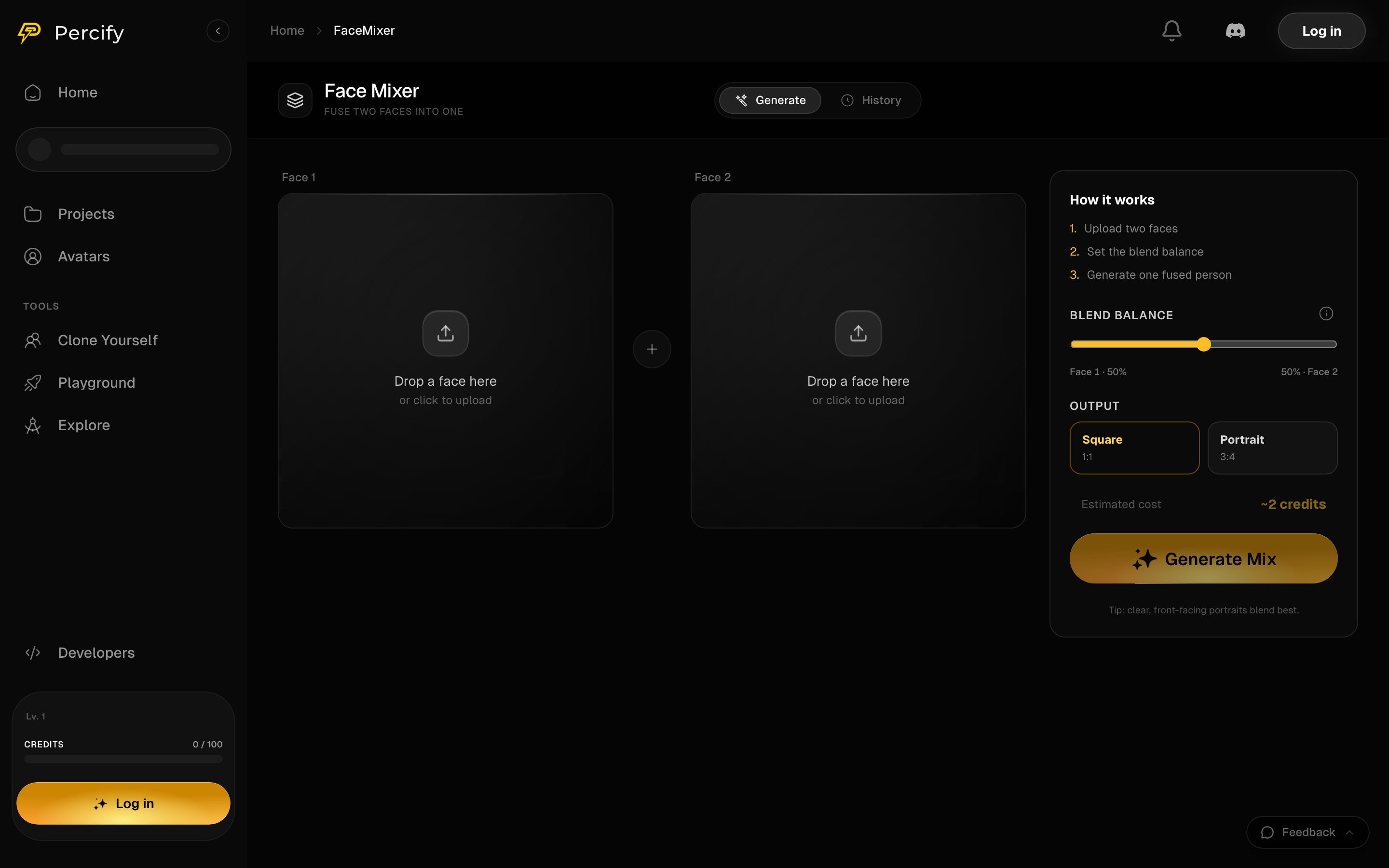
Drop a face into each side, set the blend balance, and the panel estimates the cost before you press Generate Mix.
How to mix two faces
- Drop a photo into Face 1, and a second into Face 2.
- Move Blend balance toward whichever face should dominate. It starts at 50% each.
- Pick the output shape: Square 1:1 or Portrait 3:4.
- Press Generate Mix. The estimated cost sits above the button, about 2 credits.
What makes a good input
The page’s own tip is the right one: clear, front-facing portraits blend best. A face turned away, in shadow, or small in the frame gives the model less to work with, and the result drifts toward whichever face it could read.FAQ
What does a mix cost?
What does a mix cost?
About 2 credits. The exact estimate is shown above the Generate Mix button before you run it, and a run that fails is refunded.
Can I make one face count for more than the other?
Can I make one face count for more than the other?
Yes, that is what Blend balance does. All the way to one side weights that face most heavily.
What output sizes are there?
What output sizes are there?
Square 1:1 and Portrait 3:4.
Can I use a mixed face in a video?
Can I use a mixed face in a video?
Yes. Save the result and use it as the photo in Avatar Studio or lip-sync. Consent still applies, see content policy.
Related
Make a talking avatar
Give a face a voice and animate it.
Content policy
Consent for faces and voices, and what is not allowed.
Apply a style instead
Restyle a photo rather than blending two.
What each action costs
Credit prices across the app.